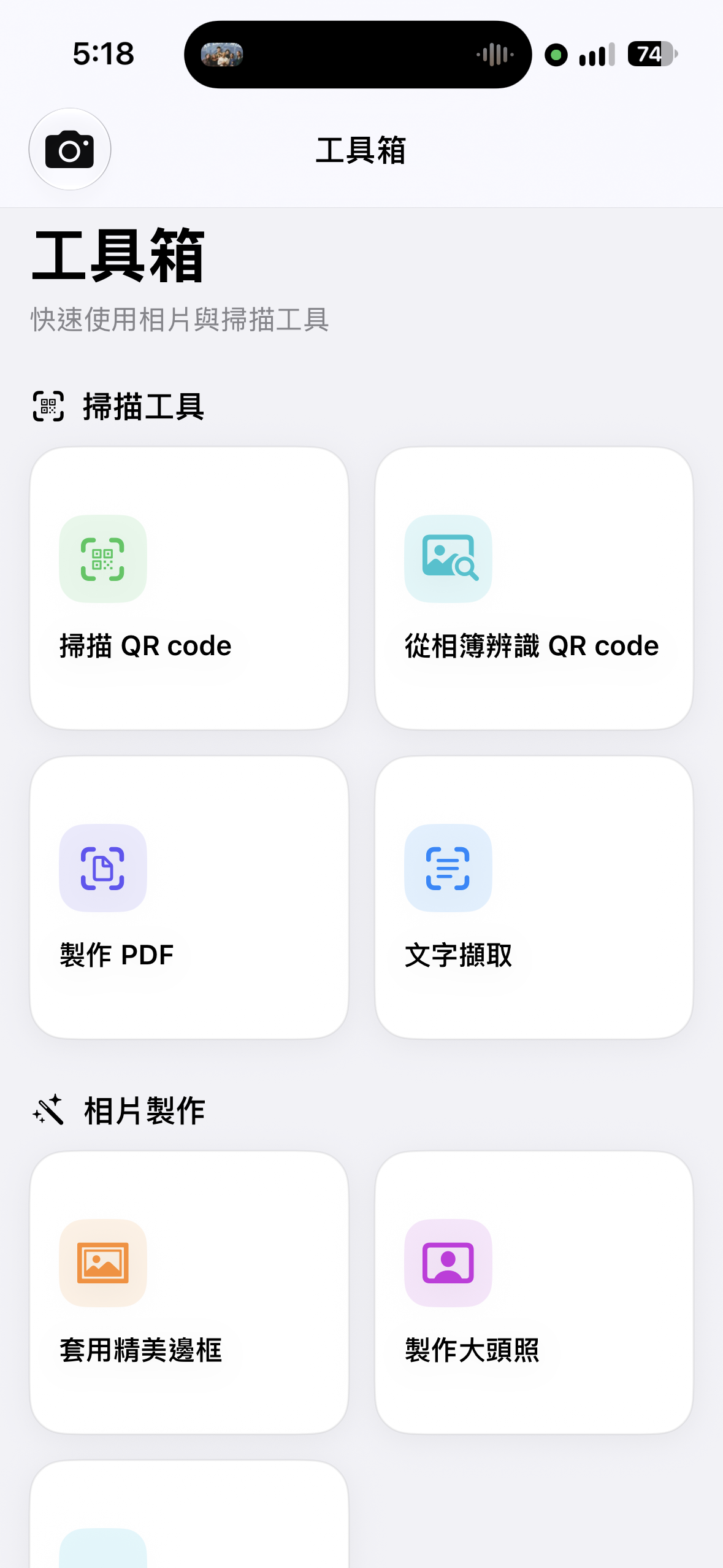
A toolbox for everyday photo work
Scan QR codes, extract text, make PDFs, apply frames, and create headshots without leaving the app.
Tag before you snap. Auto-delete temporary records and keep your circular space under control.
掃描 QR code,兌換 MemoShutter Pro 年費優惠。
兌換期限:12/31
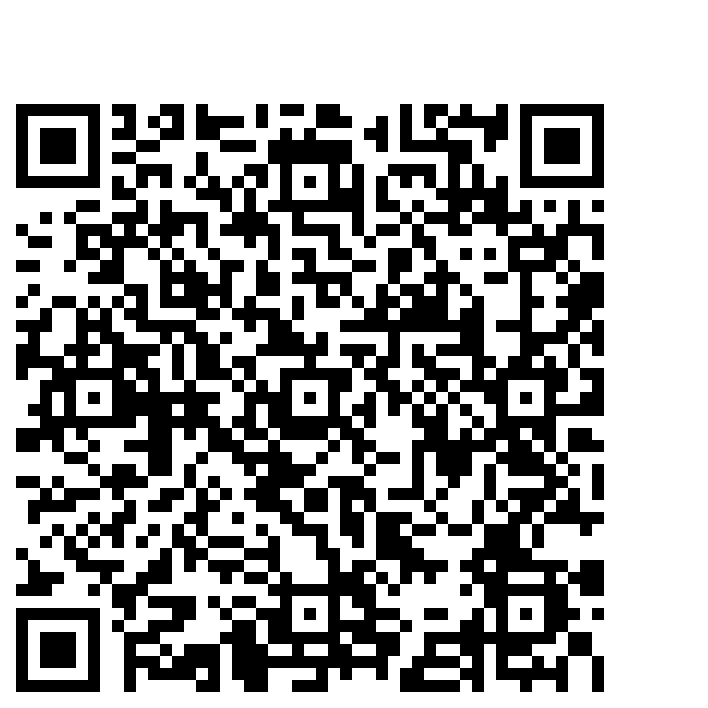 掃描兌換
Designed for the digital minimalists.
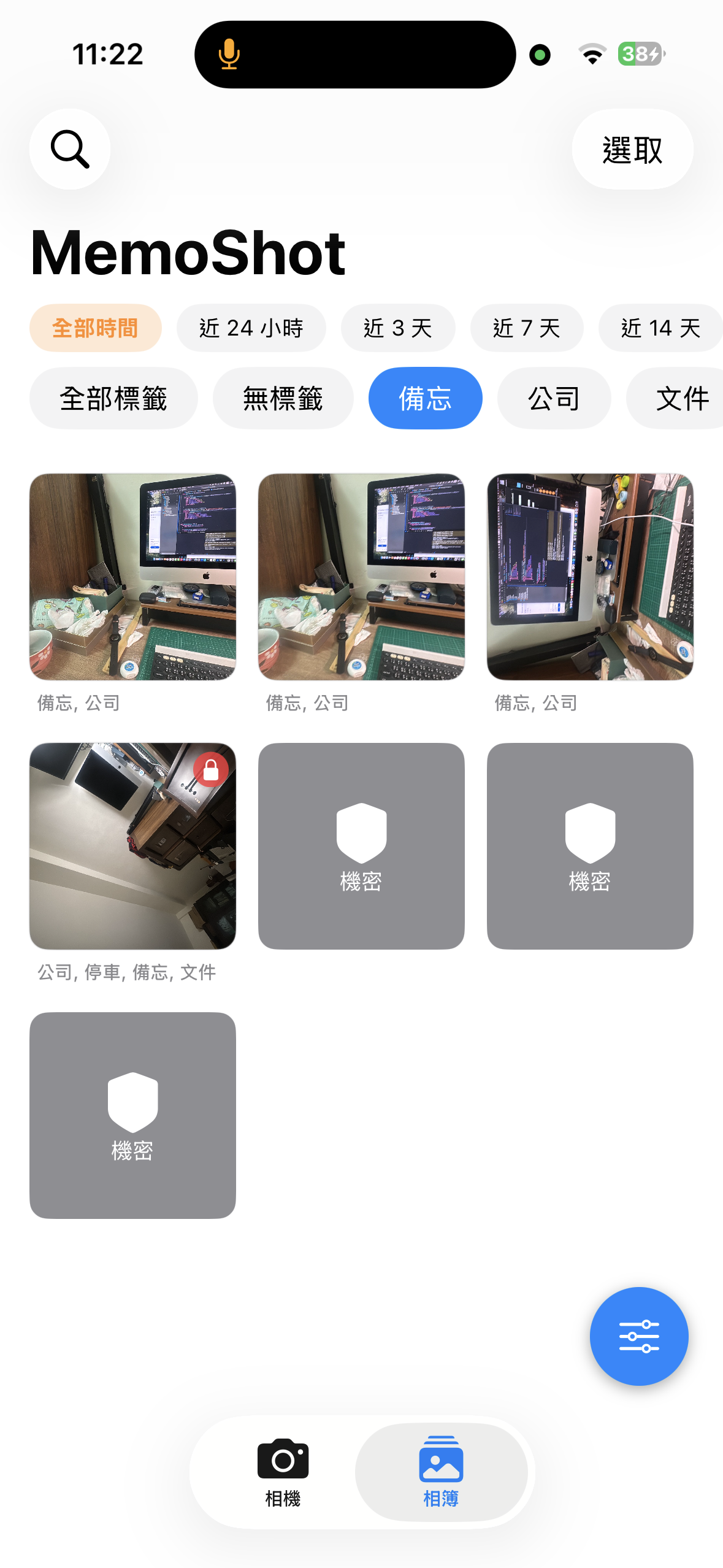
Choose a tag before the shutter so every photo starts organised from the first second.
Set rules for temporary records and let MemoShutter automatically delete what has expired.
Keep a healthy photo workspace by cycling temporary records instead of letting storage fill up.
Scan, create, and organise without sending your photos to a cloud service.
Scan live or read a QR code from a Gallery photo. Open detected links or copy the result.
Position and scale a face, auto-align it, then create a print-ready 300 dpi 4 × 6 sheet with multiple headshots.
Choose photos from your MemoShutter Gallery and return completed headshot sheets right back to it.
Apply polished, tag-based frames to make each photo feel complete and recognisable.
Add text, dates, and logos to create a consistent personal watermark.
Arrange selected photos into a clean, shareable PDF document.
Recognise text from photos and copy the useful parts when you need them.
Package multiple photos and videos into one convenient ZIP file.
Save selected photos to iOS Photos and skip items that have already been saved.
From the camera screen to the toolbox and Gallery, MemoShutter keeps the whole workflow local and easy to follow.
Scan QR codes, extract text, make PDFs, apply frames, and create headshots without leaving the app.
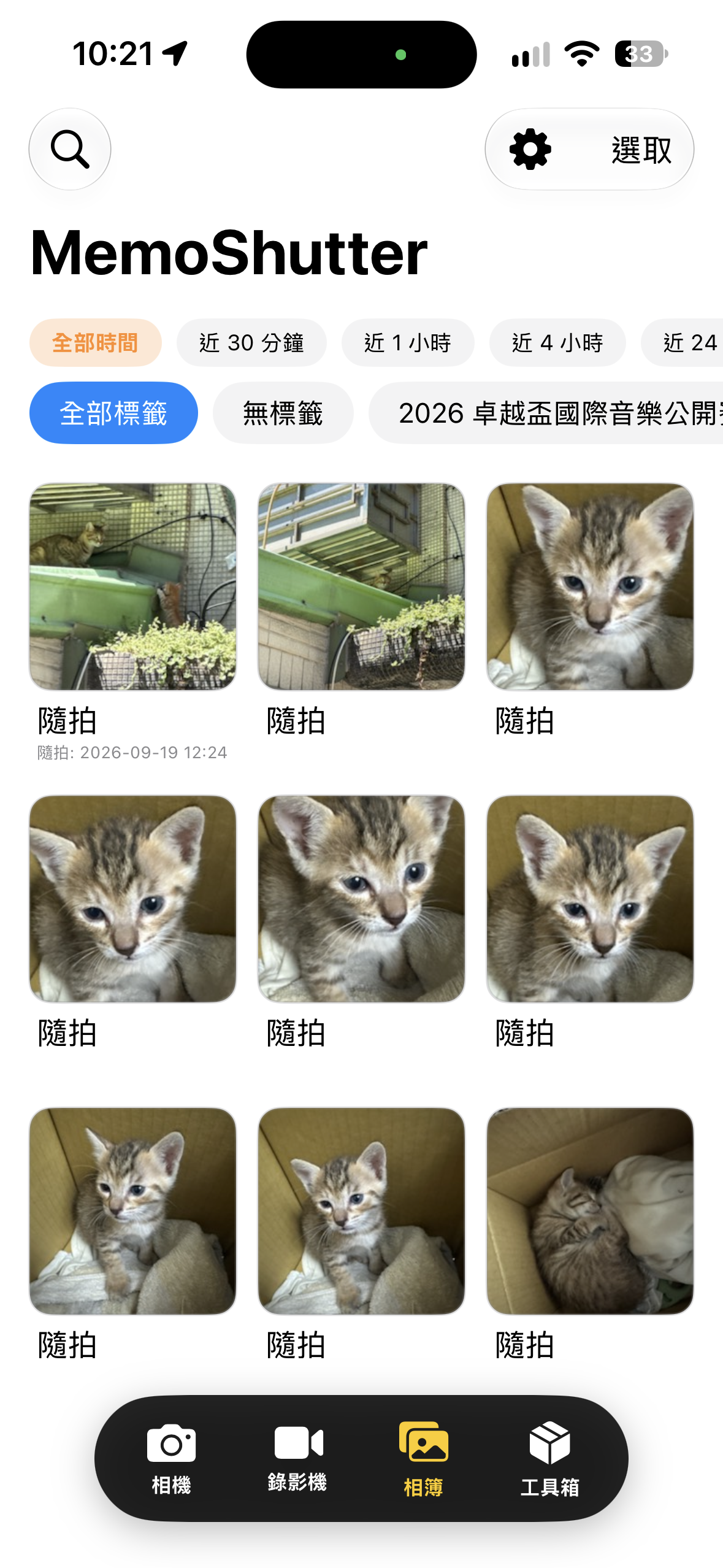
Browse by time and tag, see iOS Photos save status, and return to the photos that matter.
MemoShutter 1.8 will let you browse calendar events by date, use event titles as tags, and review system permission use.
從最近使用的標籤到行事曆行程,快速帶入拍照標籤;也能查看每項系統權限的用途。
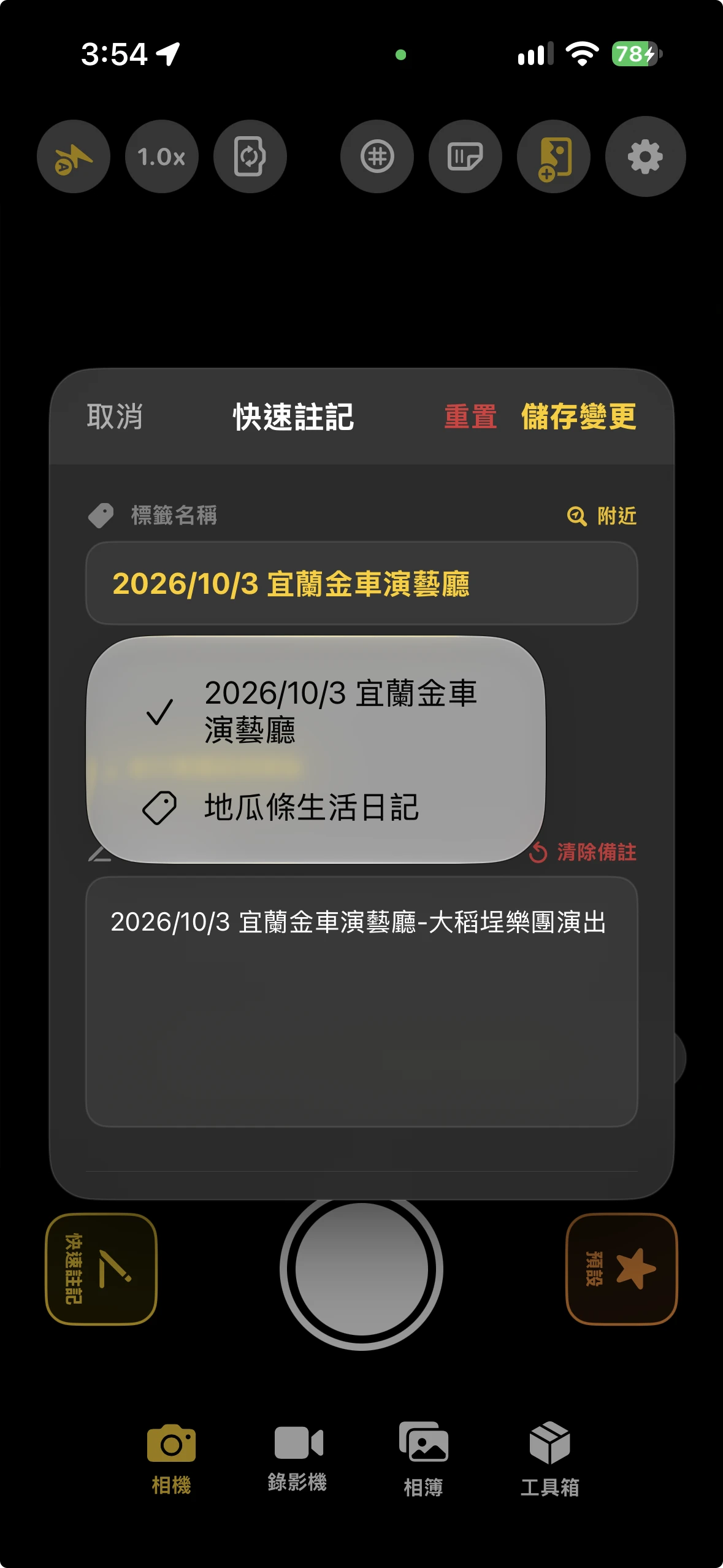
從快速註記直接選取最近用過的自訂標籤,快速沿用常用分類。
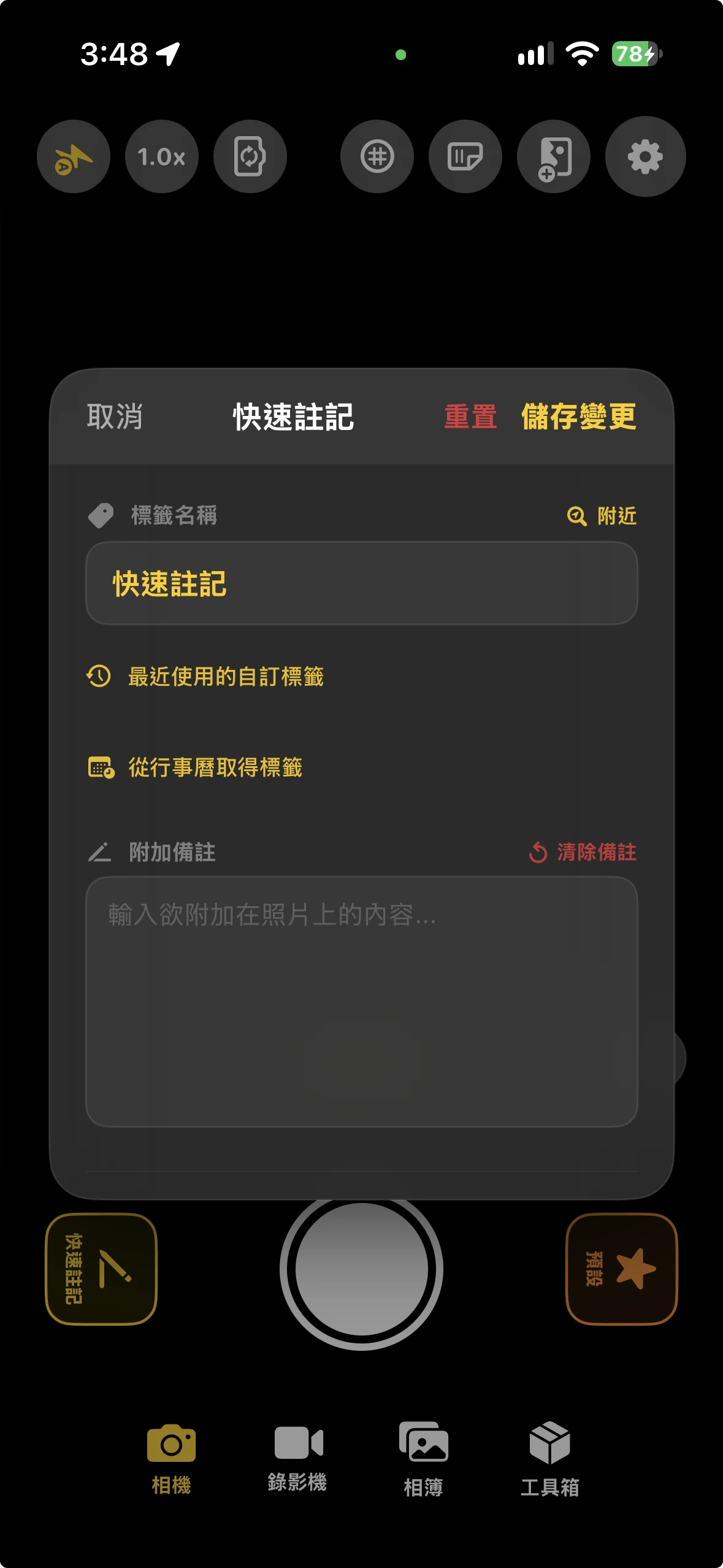
在快速註記點選「從行事曆取得標籤」,選擇日期後就能查看當日行程。
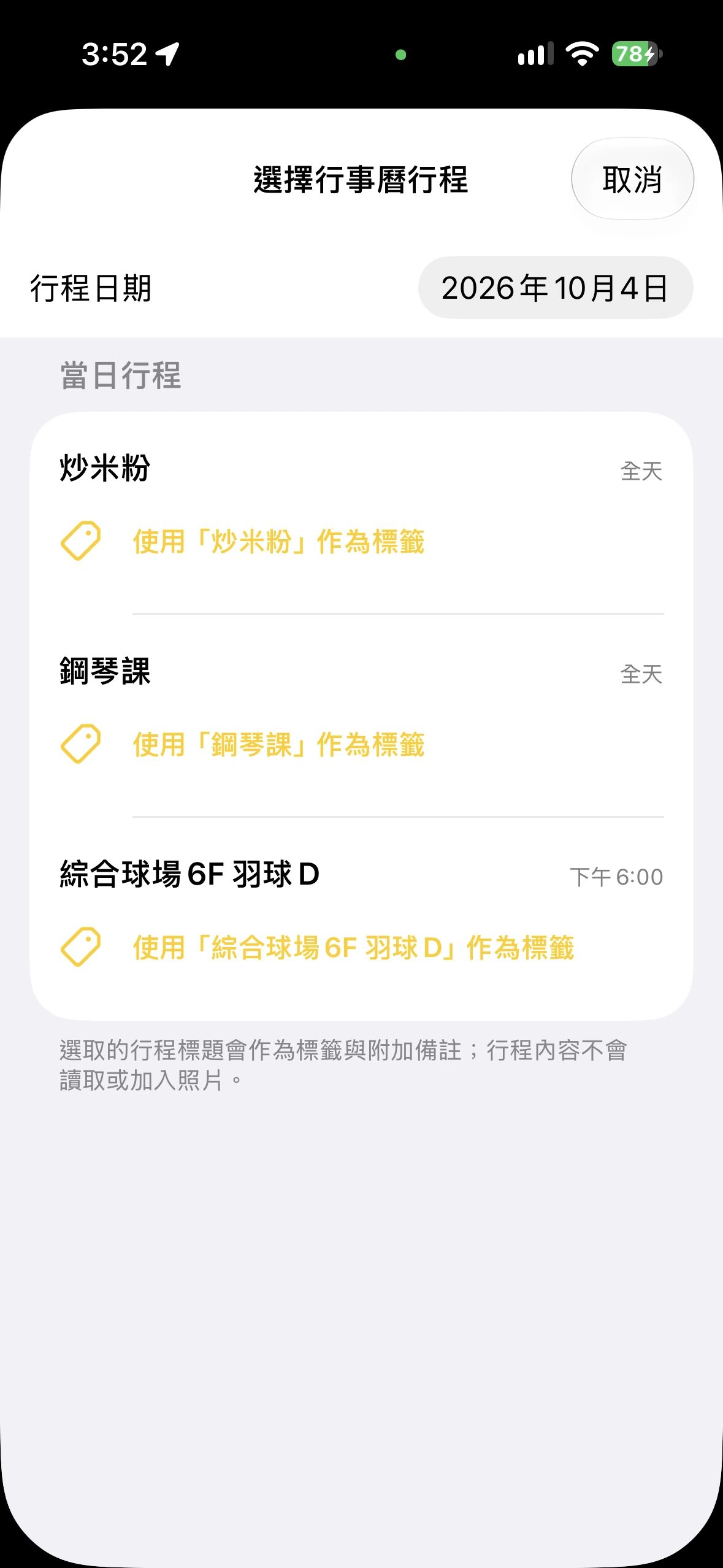
預設顯示今天,也可切換日期查看當天所有行程,包含全天行程。
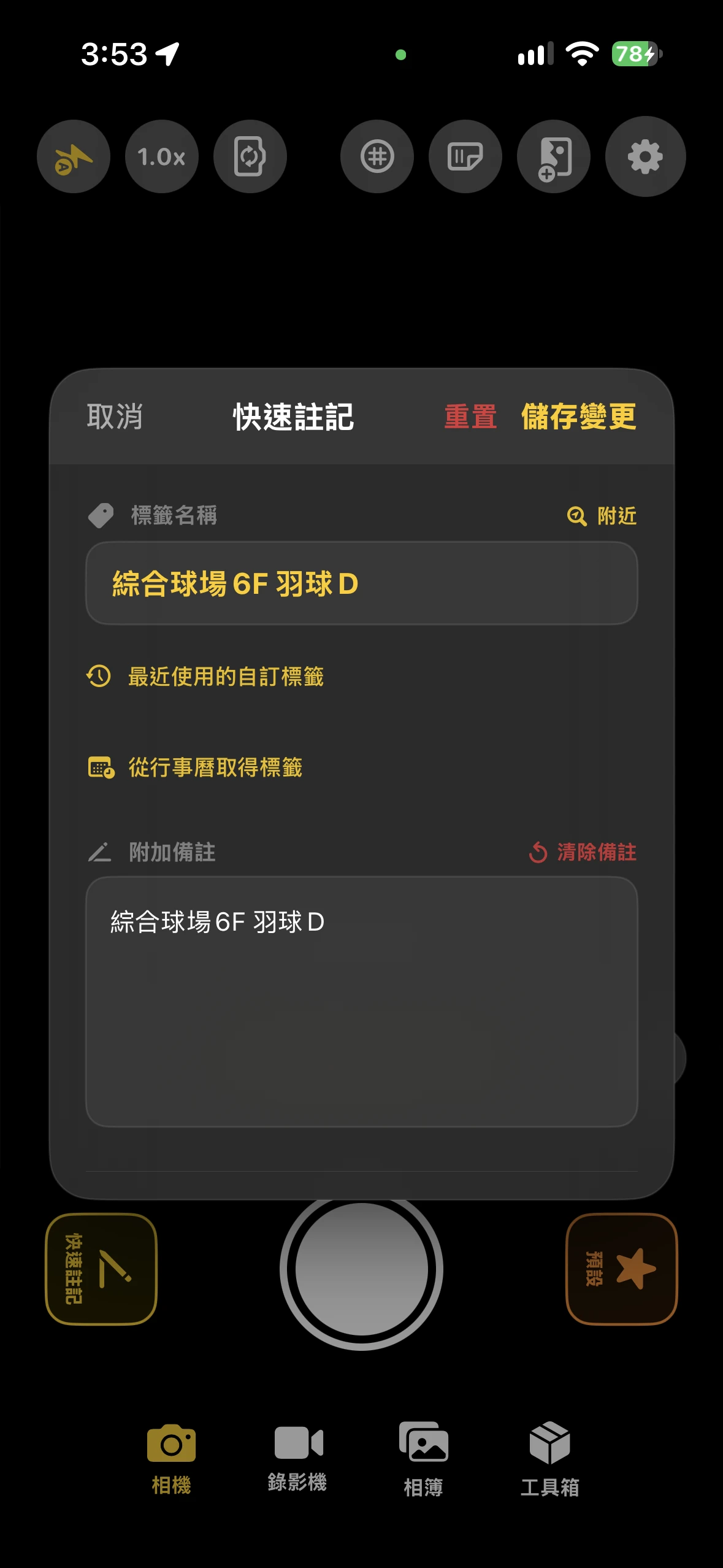
選取行程後,標題前 20 字作為標籤,完整標題放入附加備註;行程內容不會加入照片。
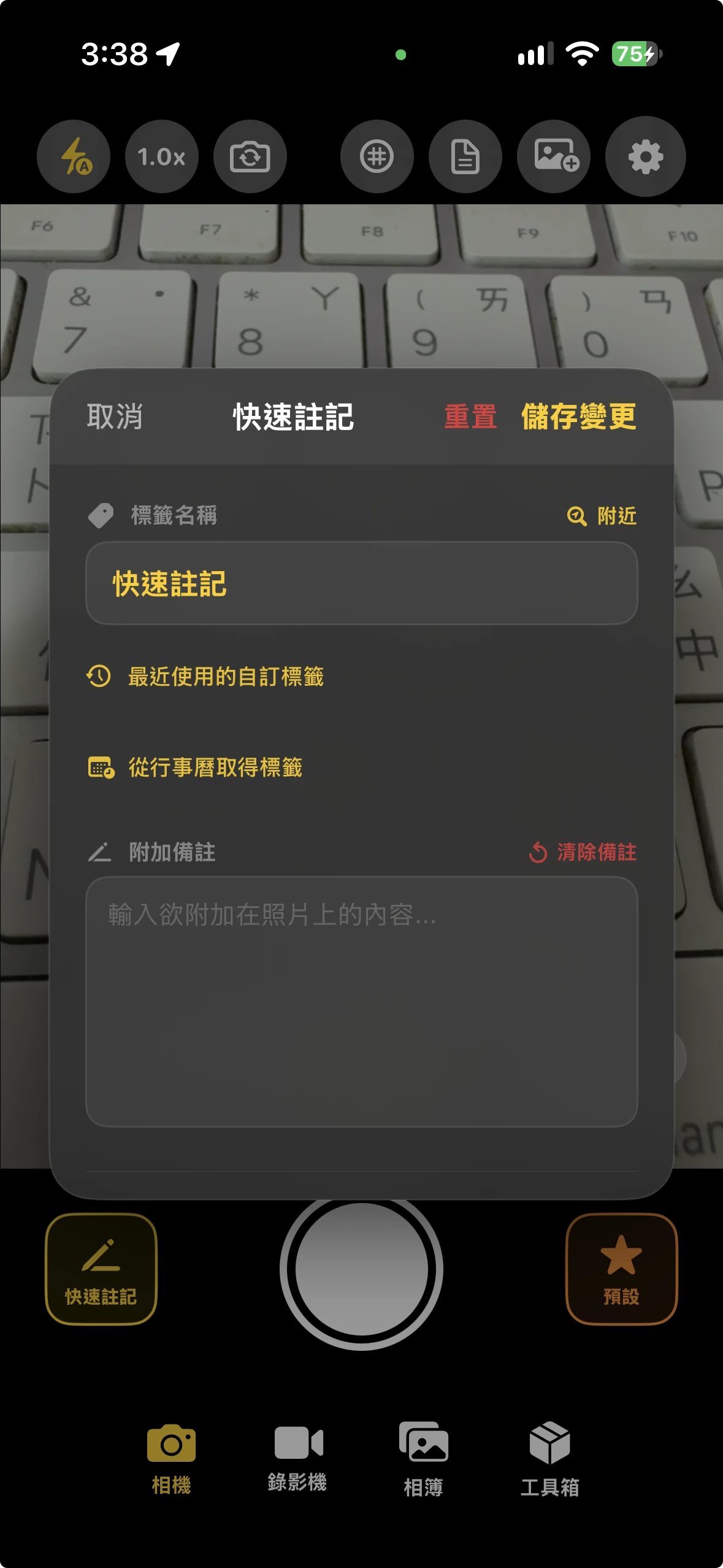
選取的行程標題與附加備註會套用到接下來拍攝的照片,行程本身不會被修改。
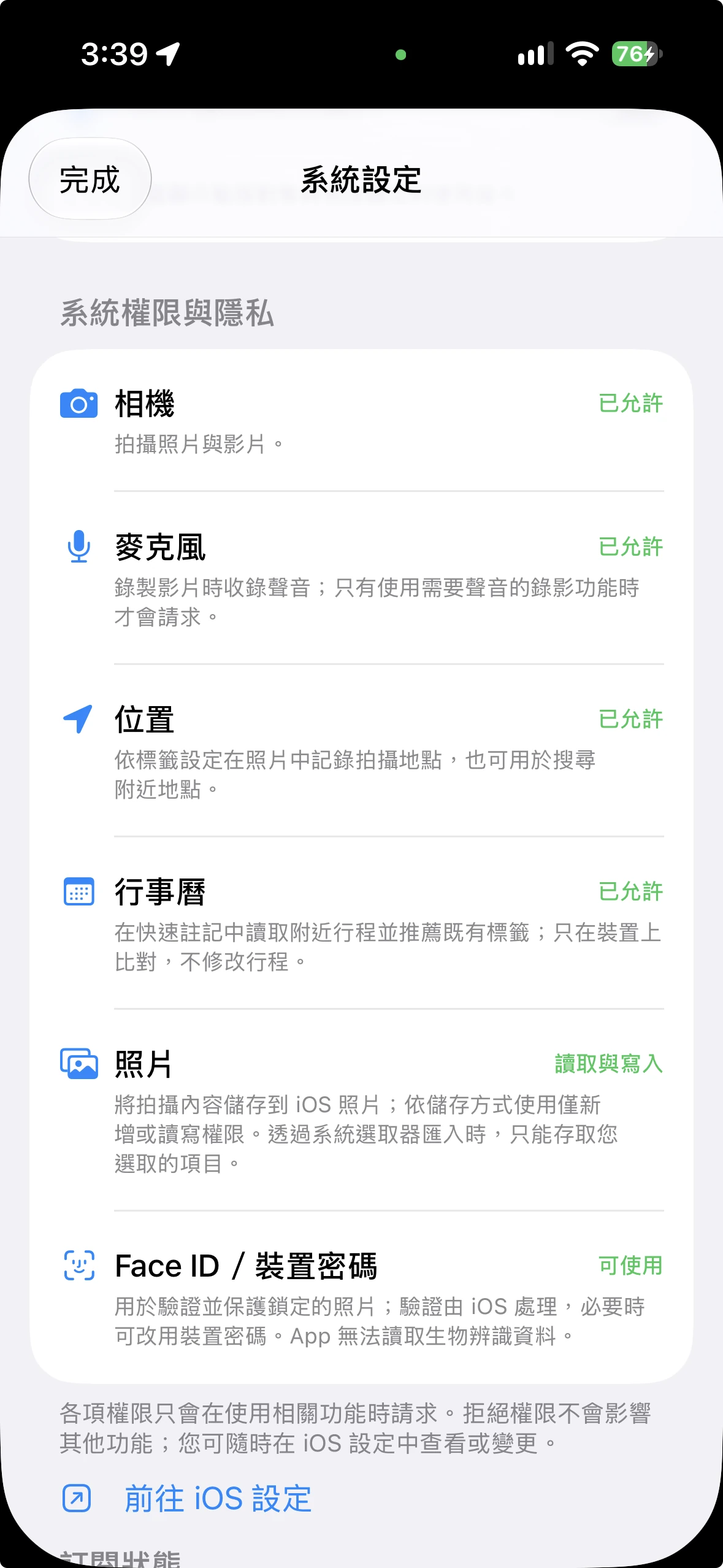
在系統設定查看相機、麥克風、位置、行事曆、照片及裝置驗證的用途與狀態。
一個專為日常紀錄、整理與輸出打造的 Local-first 相機。
快速拍攝照片或影片,支援前後鏡頭、閃光燈、縮放與相機操作輔助。
在按下快門前先選擇標籤,讓照片一開始就完成分類。
加入照片備註,並使用日期、時間等快速佔位符。
在快速註記中查看並重用最近使用的自訂標籤。
選取行程後,將標題設為標籤並把完整標題放入附加備註。
依照照片標籤套用精美邊框,讓每張紀錄更有辨識度。
使用文字、日期與 Logo 製作個人化浮水印。
保留照片技術資訊與位置資料,方便日後查找與確認。
依標籤設定保存期限與自動刪除規則,避免暫存照片占滿儲存空間。
以日期、標籤與搜尋快速瀏覽所有紀錄,並清楚顯示 iOS 相本轉存狀態。
依時間、標籤、未存相本與關鍵字篩選照片。
保護機密照片,並提供防刪鎖定避免自動清理。
批次分享原始照片、轉存 iOS 相本,並略過已轉存項目。
掃描即時畫面或相簿照片中的 QR code,支援網址與文字內容。
從 App 相簿或 iOS 相本照片擷取文字,方便複製與使用。
選取照片、調整頁面順序與版面,輸出 PDF 並分享。
去背、亮度/曝光/對比調整、臉部自動對齊,製作 4×6 多格大頭照。
將多張照片與影片打包成 ZIP,方便一次分享或保存。
照片、標籤與備註預設保存在裝置,不會自動上傳到我們的伺服器。
可選擇儲存到最近項目、MemoShutter 相簿或依標籤建立相簿。
查看各項權限的用途和目前狀態,並前往 iOS 設定調整。
解鎖 OCR、PDF、浮水印、相框、大頭照與 ZIP 打包等進階工具。
Your data belongs to you. All photos are stored locally; we never collect your personal content. No cloud upload means total privacy.